WordPress block patterns are strong design primitives. A well-built theme ships dozens of them — heroes, testimonials, pricing tables, feature grids, calls to action. Turning those patterns into a finished page however, is still manual work: open the inserter, browse by thumbnail, insert each pattern, replace placeholder text and images in every slot, repeat. In 2026, we should expect AI to take away that labour and make publishing seamless.
What Publishio does
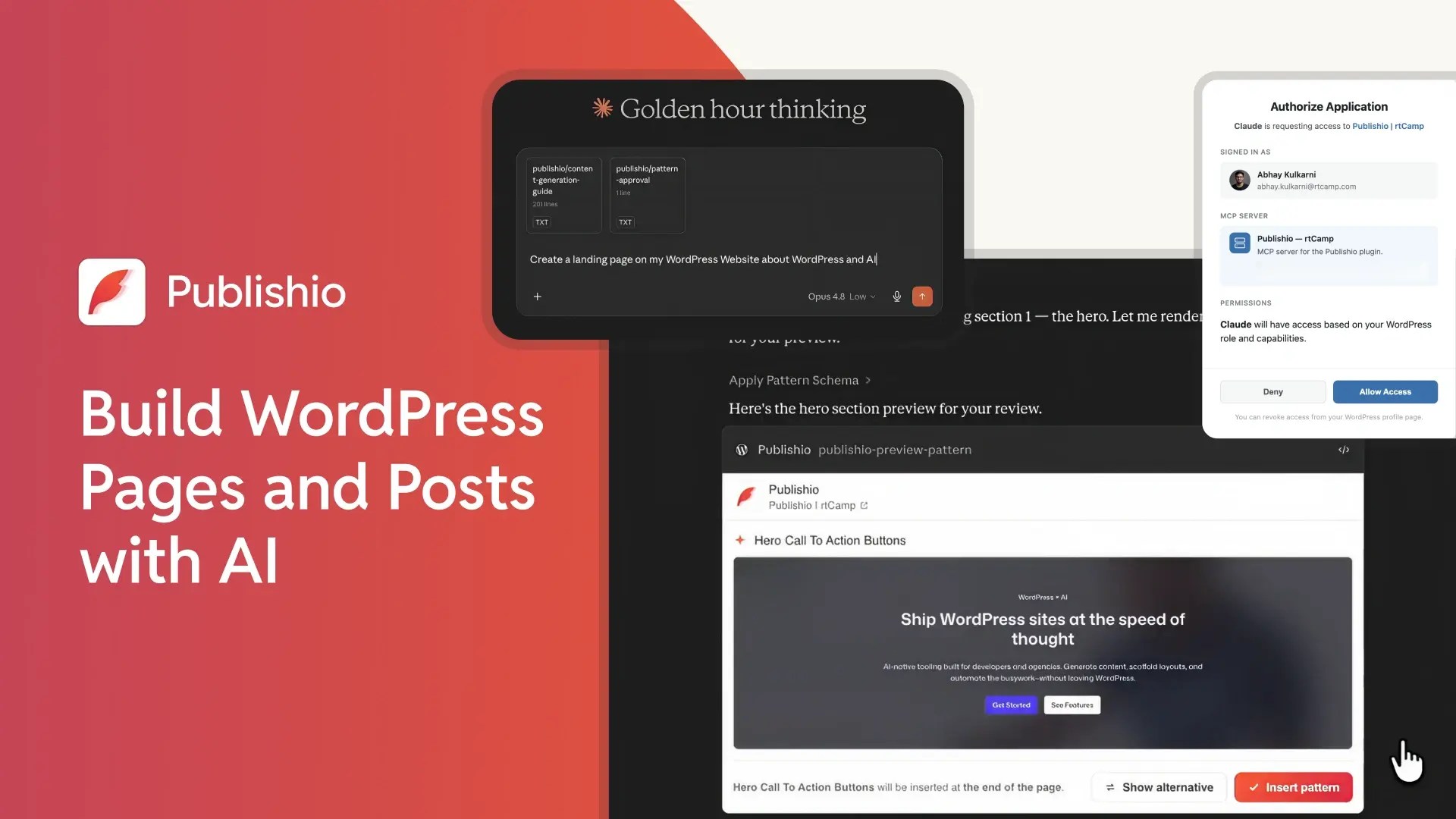
We are releasing Publishio as an open source plugin, that does exactly that. It connects your WordPress site to AI assistants — Claude, ChatGPT, or a local model — over the Model Context Protocol (MCP). The AI reads the patterns already registered on your site, fills them with your content, previews each section within your LLM interface, and publishes only what you approve. It doesn’t stop there. Publishio also handles your slugs, excerpts and Yoast SEO fields.
Schema, not markup
Here’s how that works in practice. On connection, the AI fetches every available pattern straight from WP_Block_Patterns_Registry — the same source the block editor reads — along with each one’s title, description, and keywords. It doesn’t guess what patterns exist. For each pattern it then retrieves a schema: a structured description of what can change — headline text, body copy, image references, button labels and URLs. The AI edits only those values. It is not allowed to touch the markup, the CSS, or the layout to preserve design integrity by constraint.
Preview before publish
Nothing reaches your site without review. After filling a pattern, the AI renders it and shows you a preview in chat. Approve it and the section is appended to a draft. Ask for changes and it revises and re-renders. Pages are built one section at a time, so a bad section never corrupts the whole page — if something goes wrong, the draft is intact up to the last good one.
More than a plugin
The plugin also ships with an AI skill: a file that teaches assistants the rules of generating WordPress content correctly — when to use a pattern versus prose, how to size copy to fit a slot, how to resolve images from the media library, and how to handle slugs, excerpts, and Yoast SEO fields across any registered post type. It’s served automatically over MCP, so editors configure nothing. Install Publishio, connect your AI platform, start prompting. For Claude users, the skill is also a standalone download you can add under Customize → Skills.
Open source, available now
We built Publishio because AI-assisted content should work within WordPress’s design primitives, not around them. Patterns are the right abstraction. MCP is the right protocol. The editor stays in control. It’s licensed GPL-2.0-or-later and available now — try it, break it, and contribute.
get publishio on WordPress Plugins repository
What Publishio does
Schema, not markup
Preview before publish
More than a plugin
Open source, available now
On this page
Release, WordPress AI, Publishio
Credits

Aviral Mittal
Author
Aviral Mittal
Author
Aviral Mittal is the Chief Marketing Officer at rtCamp, where he established and leads the marketing function, building and growing a team of 20+ specialists across content, SEO, design, and growth…
Contributions and Updates: Abhay 
Related articles
-
Agents need good tools too: Insights from WordCamp US 2026
Events
-
Introducing OneDesign : Seamless Pattern Sync for Multisite, Multilingual, and Multi-Brand sites on WordPress
Releases
Comments
Leave a Reply Cancel reply
Name*
Email*
Comment*
Submit
Δ