Failed → passed
Core Web Vitals, meeting Google’s thresholds across LCP, INP, and CLS
91.1%
accessibility score, meeting WCAG 2.2 AA and ADA standards
70%
less pages with a cleaner information architecture, and removal of duplicate and stale content
About the client
The University of Findlay is a private university in Findlay, Ohio, named one of the best four-year institutions in the Midwest, per The Princeton Review. It serves over 4,700 students with programs spanning health professions, education, business, sciences, pharmacy.

The challenge
Empowering the Marketing & Communications team to manage updates independently
Like every regional private university, University of Findlay is recruiting prospective students with the right messaging, outreach and their unique positioning against competitors. They set out to raise the bar for what their website should do for prospective students. They needed a modern, fast, accessible, mobile-first site with a program finder and people directory — considered table stakes for recruitment in 2026.
The University’s website was running on Microsoft SharePoint, a platform meant for internal documents and intranets. It wasn’t built to handle a fast-moving, public-facing site. After trying to make the platform work for years, Findlay decided to deal with a few different problems at once:
A public-facing site had outgrown its original platformSharePoint was built for internal documents and intranets. Findlay’s recruitment goals called for site searches that could surface programs, people, and resources. This was outside SharePoint’s remits.Editorial work stuck behind a ticket queueSharePoint’s authoring model didn’t fit a team that needed to quickly deploy campaigns, news, and program updates. Over 2,000 pages accumulated over the yearsDuplicate, stale & orphaned pages required a smart, SEO-friendly clean-up, and a refreshed content architecture.Accessibility as a legal exposureRequired to meet WCAG 2.2 AA and ADA standards, Findlay had no reliable way to verify or maintain that compliance.

Speed and editing pages were burdened by inefficient site architecture, thereby creating production bottlenecks.
Denise Durenberger
Executive Director of Marketing and Communications
The Process
A modern, flexible website that enables the Communications team to quickly create, manage, and optimize digital experiences.
Considering the operational challenges cited earlier, WordPress emerged as the ideal solution to replace the University’s legacy SharePoint site. To ensure a smooth transition, rtCamp began with a structured discovery phase, auditing the site’s structure and content alongside the Findlay team to prepare for the migration.
Step 1. Cutting 2,500+ pages down to what the university needed
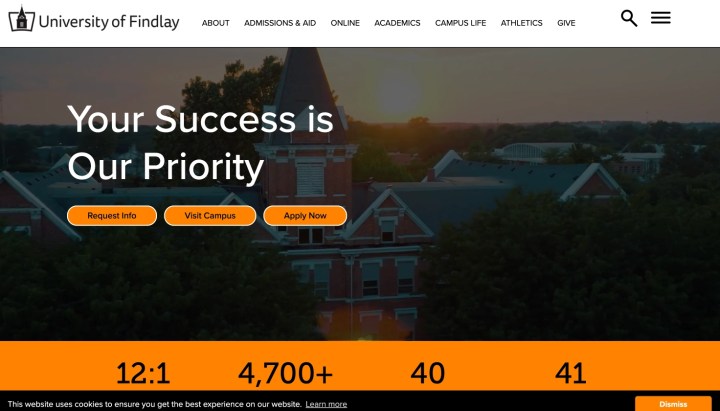
rtCamp did a page-by-page review of the full site with Findlay’s staff, sorting pages into what to keep, what to merge, and what to retire. Pages covering the same ground got consolidated into one, rather than carried over as-is. The site launched with 543 public pages, a 73% reduction from where it started.
Before:
After:

Step 2. Building a migration system to move content to WordPress
SharePoint doesn’t structure content the way WordPress does so the rtCamp team built a migration system that:
- Scraped each approved page,
- Pulled its content and metadata separately, and
- Matched it against recurring patterns to automatically map it into WordPress blocks.
Yet, rtCamp doesn’t trust automation alone for the last mile work.. Their team ran page-by-page comparisons between old and new versions, checked every link across the site, and built a dedicated tool to catch and fix missing alt text (over 1,500 instances across more than 800 pages).
Step 3. Equipping editors with frictionless publishing tools
Once the content was in WordPress, the marketing and communications team needed a way to keep building pages without a developer involved every time. The team built a governed component system with pre-designed sections, a fixed-width page template, and three standardized button styles (primary, secondary, and tertiary), each with locked-in spacing, typography, and color.
Editors drag and drop these components to assemble pages so every new page stays on-brand by default. The key part here is that content and design are kept as separate concerns. Content teams are only concerned with choosing a pre-existing layout and adding content, therefore moving faster, with lesser reviews.
Step 4. Adjusting the plan when reality didn’t match it
With structure and content both moving at once, the live site and the agreed sitemap started to drift apart: pages renamed, merged, or moved as priorities shifted. Instead of fixing that page by page, the rtCamp team tracked every change in a shared spreadsheet and ran it through a script that handled the renames, restructuring, and redirects in one pass.
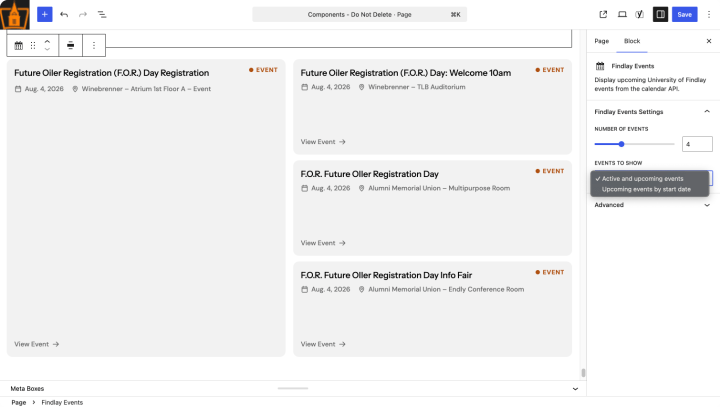
A similar thing happened with event listings: the original plan was to sync from the University’s calendar API, but that site wasn’t accessible outside the US. Rather than force the original integration, rtCamp built a custom block pulling from the University’s newsroom feed instead.
Step 5. Making the site accessible according to WCAG 2.2 AA and ADA
Meeting WCAG 2.2 AA and ADA standards meant building accessibility checks into the process. rtCamp ran two layers of checks throughout the migration: automated scans across live pages, and an automatic review of every code change before it shipped, so problems could be caught as early as possible.
For example, the team found that a single contrast problem in the site’s cookie banner, present on every page, was dragging down the accessibility score across the entire site. Fixing that one component lifted the score sitewide in a single change.
Step 6. Launching, training & post-launch hypercare
After a UAT(User Acceptance Testing) phase, the site went live in 4 months. rtCamp shared a live tracker with the client, so new issues could be caught and fixed right away. When the accessibility score dipped slightly a couple of days after launch (91.1% → 89.1%), the team traced the issue to a dynamic block and fixed it the same day.
Alongside the launch, Findlay’s marketing team got live training walking through the new site and its content workflows. It was recorded so they could revisit it later. That was paired with a written user guide and a set of feature-specific demo videos covering individual blocks, patterns, and common content tasks for future reference.

rtCamp was fast, reliable, and incredibly knowledgeable throughout the entire project. Their team was always available to answer questions, provide guidance, and ensure we had the support we needed every step of the way.
Reilly Cozette
Digital Designer and Frontend Developer
The Solution
A WordPress platform that puts publishing back in the marketing team’s hands
University of Findlay moved from Microsoft SharePoint to a WordPress site. The new site now gives the marketing and communications team direct control over pages, programs, faculty listings, and search.
Pattern library that keeps every page on-brand
Editors work from a curated set of pre-built sections, fixed-width templates, and standardized buttons. Building a page means assembling approved blocks, so new pages match the brand automatically.

Program Finder built for prospective students
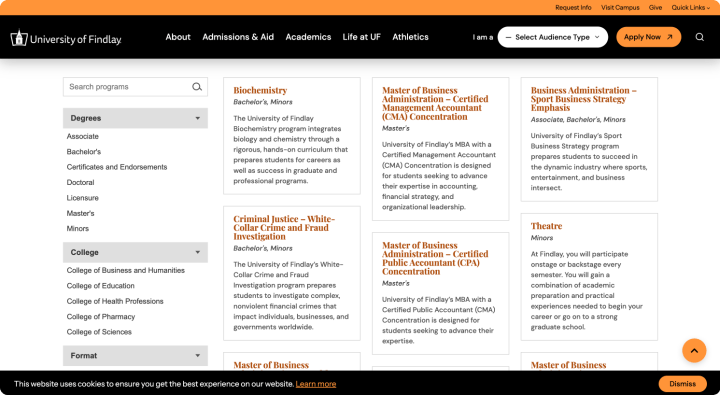
A custom Gutenberg block, backed by its own REST API, lets visitors search available programs and filter them by college, degree, and format, with pagination built in.
Faculty and course listings stay current on their own
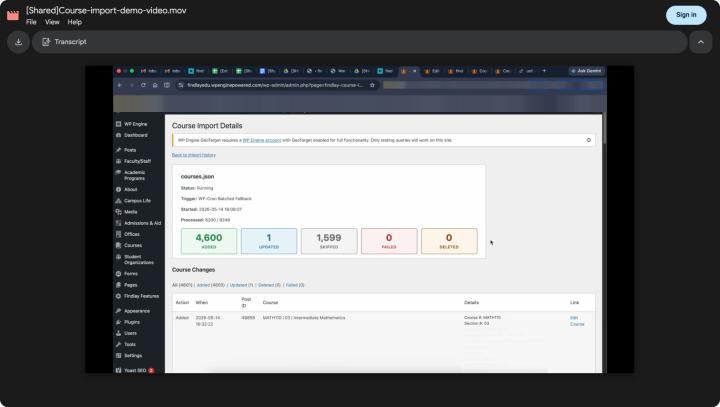
Faculty and course data imports automatically from the university’s source files. Visitors always see accurate information, and nobody on staff has to remember to update it.

Content that adjusts by visitor location
Some pages only apply to US-based visitors. The platform detects a visitor’s region and shows the right content automatically. No separate page needs to be maintained.

Forms that update without a developer
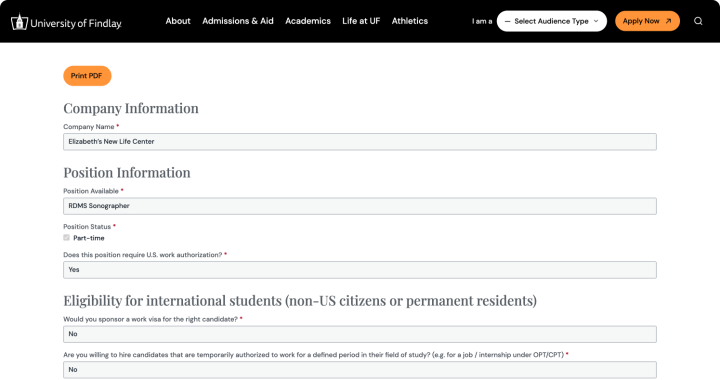
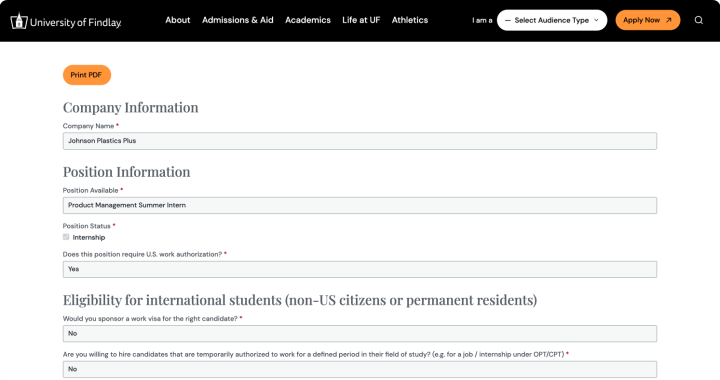
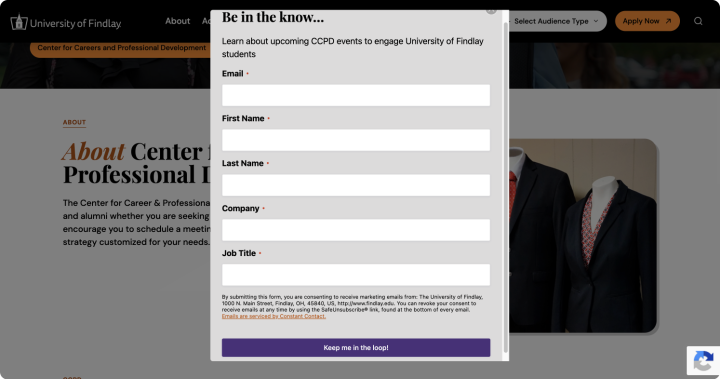
A form system built with Gravity Forms that allows the team to build and edit forms themselves. A custom block on top handles job listings: it reads each one and automatically renders the right application form.
The Result
University of Findlay gets full publishing control on a new WordPress site
University of Findlay now runs their website on WordPress, implemented by rtCamp. They now have a faster, more accessible, and easier-to-manage CMS compared to Microsoft SharePoint. Migrating from Microsoft SharePoint gave their marketing and communications team full editorial control.
4 months
To migrate off Microsoft Sharepoint
Full
Editorial control, no developer tickets needed
543
public pages at launch, down from roughly 2,500+ on the old site
BeforeAfterSite search couldn’t reliably surface programs, people, or resourcesCustom Program Finder with search, filters, and pagination~2,000 pages with no clear ownership or structureA focused, governed site built around a curated pattern library and templatesEditors needed developers for new pages and layoutsEditors build pages independently from approved blocks and templates
Related case studies
-

Multisite VIP Migration and Codebase Audit for KHM Travel Group
Solution
Hosting Migration
Industry
Tourism and Hospitality
-
Streamlining subscription upgrades and real-time market insights for AlphaTarget’s investor community
Solution
WordPress Development
Industry
Financial Services/FinTech