rtMedia PRO has just had a new weekly release with five added features.
1. Limit upload size per file
A restriction can be set to prevent users from uploading files greater than a set size.
Under rtMedia→Settings→Types, a setting titled ‘Upload Limit(MB)’ is provided against each media type.

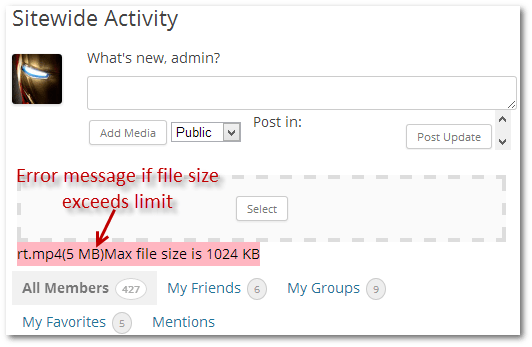
An error message is displayed if an attempt is made to upload files that exceed the size limit.
2. Disable ‘Create Album’ feature
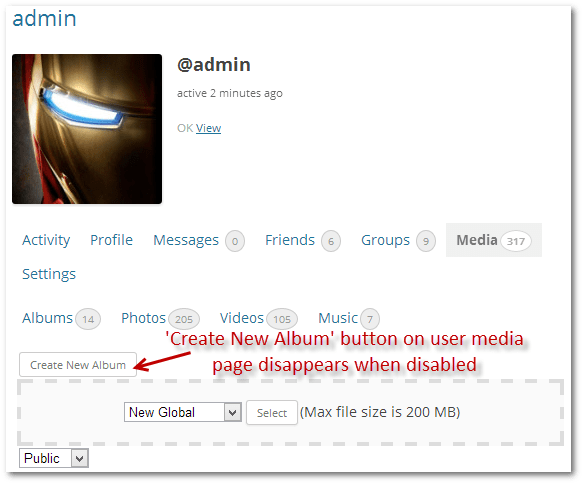
On each users media page, there is a ‘Create New Album’ button by default.
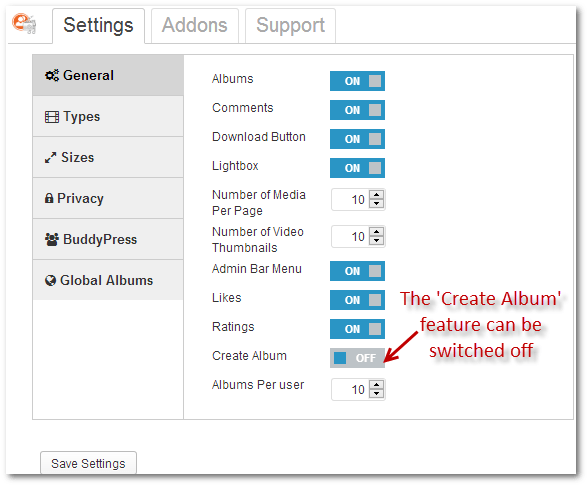
This feature can be switched off from rtMedia→Settings→General.
3. Limit number of albums
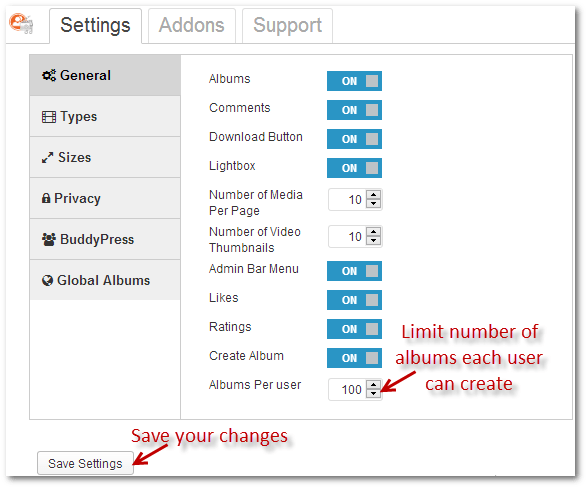
Set an upper limit on the number of albums a user can create from rtMedia→Settings→General.
4. Set any picture as album cover
Click on any picture to open it, and then click the ‘Set as Album Cover’.
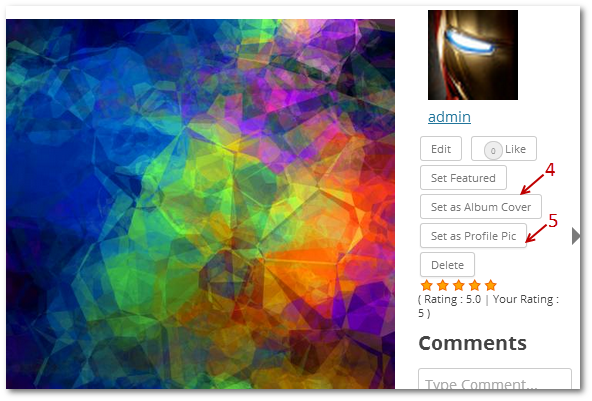
5. Set any picture as profile picture
Click on any picture to open it, and then click the ‘Set as Profile Pic’ button, as indicated in the screenshot above.
Pricing and upgrades
Following our progressive pricing policy, rtMedia PRO is now available for purchase for $59.
That’s a cool deal to grab, considering that the final major release will cost $149, and you get to upgrade for free for one year!
After a year, upgrades will be available for 50% of the original price you pay.
Links: Purchase rtMedia PRO | Subscribe to rtMedia updates
1. Limit upload size per file
2. Disable 'Create Album' feature
3. Limit number of albums
4. Set any picture as album cover
5. Set any picture as profile picture
Pricing and upgrades
On this page
Credits

Naweed Chougle
Author
Naweed Chougle
Author
Naweed is a Senior Technical Content Writer at rtCamp, specializing in WordPress and enterprise CMS content. With over ten years of experience in the WordPress ecosystem, he creates blog posts,…
Related articles
-
rtMedia PRO 2.3 with Sorting, Social Sharing and More
News
-
rtMedia-PRO v1.9 with WordPress Album Support
News
Comments
-
Erick
Limit upload size per file. On the first image you show on here it shows the feature to increase the MB limit.: “Upload Limit (MB)” However in my plug in installed on wordpress it doesn’t show such feature. For any of the media photos, video, or audio. Could someone please let me know how I could be able to change the limit size? Because for some reason when members of my website try to upload files they can only upload 7MB. But I wish to increase such limits.
Thank you.
Reply
-
Rahul Bansal
Are you using rtMedia PRO?
Also, you cannot set limits higher than your system limit. If PHP is configured to allow 7MB max, then you need to increase upload limit in PHP.
This may help – External link to rtcamp.comhttps://e71a1d5d-e22b-4c34-a1b4-1f6cae4bcd26.atarimworker.io/tutorials/php/increase-file-upload-size-limit/
Reply
-


Leave a Reply Cancel reply
Name*
Email*
Comment*
Submit
Δ